Safety · For passengers
Safe on every ride, Solo or Shared.
From the moment you book to the moment you arrive, you, your driver and WeMoove always know who is in the car.
Driver verified
Trip shared live
Every step of the trip
Protection that starts before pickup.
1Before you ride
Know exactly who is coming.
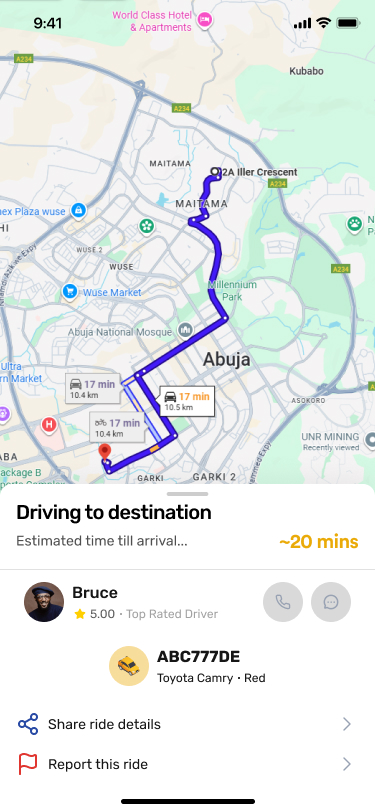
Every driver and vehicle is checked before their first trip. Once your ride is booked, you see who is picking you up.
- Driver details upfrontName, photo, rating, car and plate number, before the car arrives.
- Call or chat in the appReach your driver from the trip screen to confirm your pickup spot.
- Price agreed before you rideBook at the listed price or agree an offer in the app, never at the roadside.
2On the way
Never ride alone, even when you do.
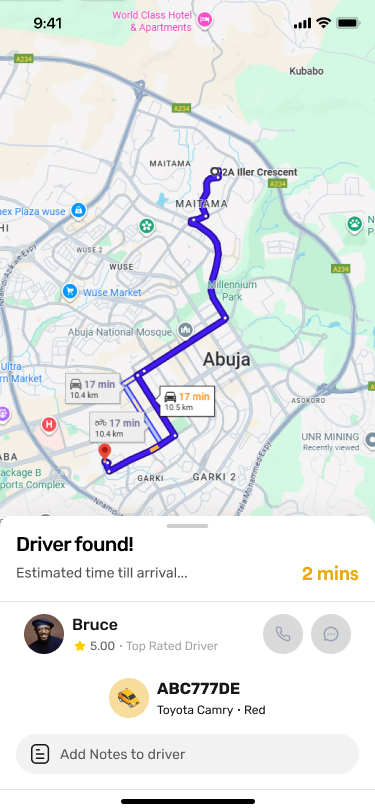
Follow your trip on the map and let the people you trust follow along with you.
- Share your ride detailsSend your live trip to family or friends so they can follow you to your destination.
- Panic buttonHold SOS to alert our safety team, who can follow your trip live.
- Report the rideIf anything feels wrong, report it from the trip screen and our team will step in.
3After you arrive
Every trip keeps the community accountable.
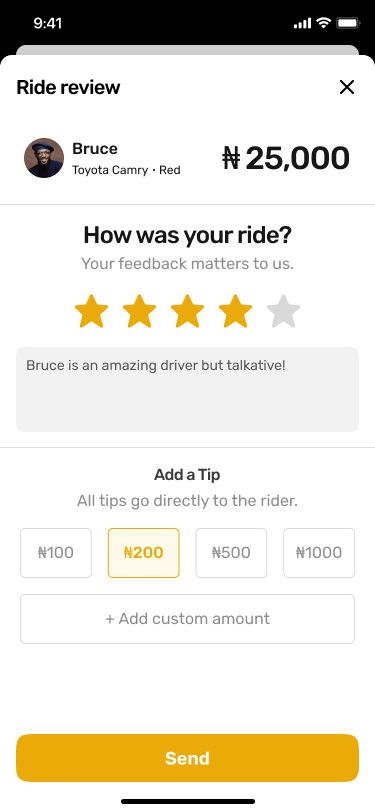
Riders and drivers rate each other after every trip, so good behaviour is noticed and problems are flagged.
- Two-way ratingsRate your driver, and drivers rate riders too.
- Say what happenedAdd a comment with your rating, good or bad.
Panic button
If something feels wrong, hold SOS.
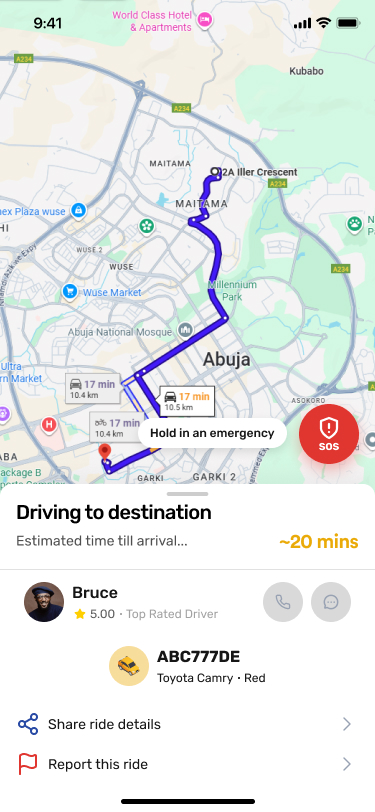
Every trip has a panic button on the trip screen. Here's what happens when you use it.
- Step 1: Hold SOSThe red SOS button sits on your trip screen. Hold it for a moment, so it can't go off by accident.
- Step 2: Panic mode turns onOur safety team is alerted straight away.
- Step 3: We follow your trip liveThe team can see your trip live and hear what's happening through your phone. Stay online.
Hold in an emergency
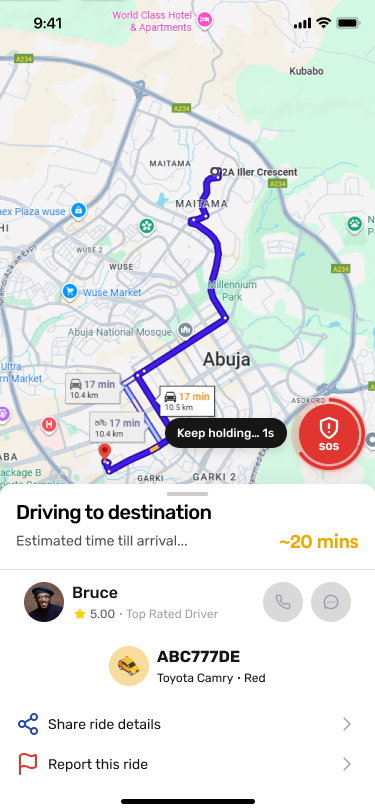
Keep holding
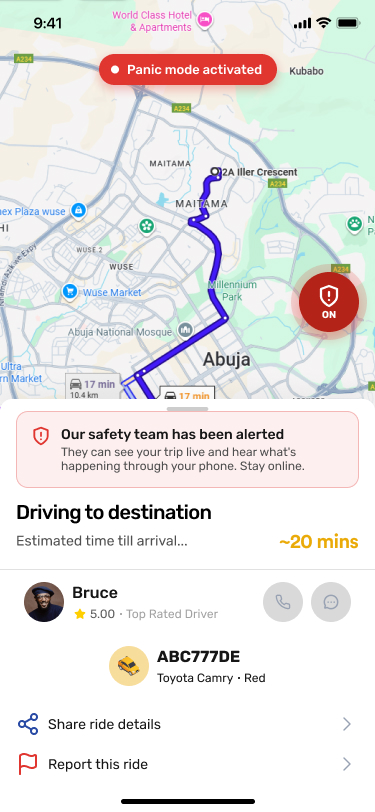
Panic mode on
Tagging along?
Shared rides get the same protection.
On a Shared ride, you book a seat on a ride heading your way. Every rider books through the app, so your driver and WeMoove know who is in the car at every stop.
- Same verified driver checks
- Share your trip, use the panic button and report a ride, just like Solo
- Ratings for every rider after the trip
Every rider booked in the appDriver verified
Ride smart
Simple habits that keep every trip safe.
For riders
- 1Match the plate number and car to the app before you get in.
- 2Ask the driver who they are picking up, instead of saying your name first.
- 3Wear your seat belt, even on short trips.
- 4Share your trip with someone you trust.
- 5Know where the SOS button is on your trip screen before you need it.
- 6If something feels off, don't get in. Report it in the app.
Help is a tap away
Round-the-clock support, whenever you need it.
Questions or safety concerns, during or after a trip: our support team is here to help.
+234 (0) 916 159 0000 · info@connexxiontelecom.com
Ride with peace of mind.
Download WeMoove and ride Solo or Shared across Abuja.